Passport, visa and ID photos · Fix a photo
Passport photo too dark, too bright or unevenly lit: how to fix it
Too dark, washed out, lit from one side or flashed: the light is what a home photo gets wrong most easily. Here is how to light it, then what each authority's own page says.
Your photo stays on your device: nothing is uploaded, and no face is recognised.
How to fix it
- Use daylight from a window in front of you, not a ceiling lamp and not the sun directly on your face.
- Switch the flash off: it flattens the face, reddens the eyes and reflects off skin and glasses.
- Tap your face on the phone's screen before the photo, so the exposure is set for the face and not the wall.
- If your document's rules forbid edited photos, don't brighten it with a filter. Retake in better light.
Where the rules allow an edited photo, the page evens out your photo's light and colour; where they forbid edits it leaves the photo as it is. Either way it measures whether the background is even.
Check your photo against your document's rules
Choose your document: its page checks your photo in your browser, free. The indented words are the issuing authority's own, from the official page linked beside them, read on the date given. WinPhoto is not affiliated with any government. Only the authority decides whether it accepts a photo.
Ethiopia
-
Ethiopia e-Visa (evisa.gov.et) applicant photo
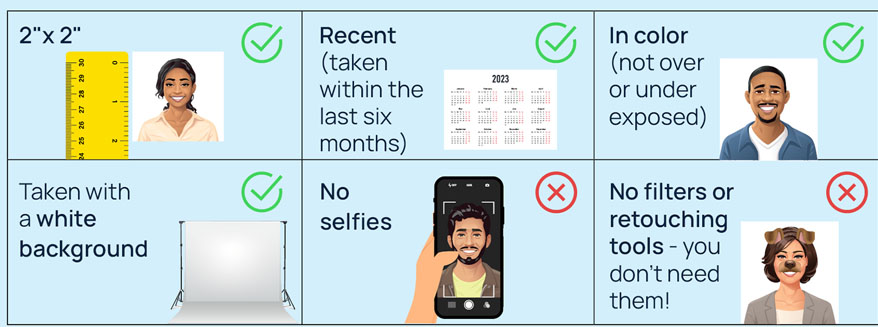
In color (not over or under exposed)
Official page, read on 5 November 2026.
India
-
Indian passport for a child under 4 (printed photo carried to the PSK/POPSK/Passport Office; ICAO digital upload for applications through Indian missions abroad)
Be taken with uniform lighting and not show shadows or flash reflections on the face and no red eye.
Official page, read on 4 November 2026.
Italy
-
Italian electronic passport, printed photo (Questura, Commissariato or Italian consulate)
non deve avere riflessi di flash sul viso e soprattutto non gli occhi rossi;
la foto deve mostrare chiaramente gli occhi e non deve avere riflessi del flash sulle lenti (inclinare leggermente il capo);
Official page, read on 4 November 2026.
Kuwait
-
Kuwait e-visa face photo (Ministry of Interior Kuwait Visa platform: tourist and family visit visas)
The photo should not have unnaturally colored lighting
The photo should have a good colour balance, natural flesh tones and no 'red eye'
Official page, read on 4 November 2026.
Nigeria
-
Nigerian standard e-passport, online application photo upload (NIS portal, in Nigeria or abroad)
Should hove proper lighting-neither too dark, nor too bright.
Official page, read on 4 November 2026.
Pakistan
-
Pakistan online visa (Pakistan Online Visa System, visa.nadra.gov.pk) applicant photograph
Be taken with uniform lighting and not show shadows or flash reflections on your Face and no red eye
Official page, read on 5 November 2026.
Russia
-
Russian unified e-visa (единая электронная виза) applicant face photo
The photo must be taken with uniform lighting and not show shadows, flash reflections on your face and no red eyes.
If you wear glasses, your eyes must be clearly visible in the photo. Flash reflection off the lenses, as well as tinted lenses are not allowed (if possible, avoid heavy frames – wear lighter framed glasses, if you have them). Make sure that the frames do not cover your eyes (even partly).
Official page, read on 4 November 2026.
Schengen Area (France-Visas and German missions quoted)
-
Schengen short-stay visa (type C) application photo, ICAO format
be taken with uniform lighting and not show shadows or flash reflections on your face and no red eye
the photograph must show your eyes clearly with no flash reflection off the glasses, and no tinted lenses (if possible, avoid heavy frames— wear lighter framed glasses if you have them)
Official page, read on 4 November 2026.
Singapore
-
Singapore entry visa application photo (ICA e-Service upload 400 x 514 px, or a 35 x 45 mm print with Form 14A)
Even exposure (must not be taken under direct lighting)
Official page, read on 4 November 2026. -
Singapore passport photo (MyICA online application 400 x 514 px, or a 35 x 45 mm print with the overseas form)
lf you wear glasses, the frames must not cover any part of your eyes. There should not be any flash or light reflected off the glasses. Tinted glasses and sunglasses are not allowed.
Official page, read on 12 November 2026.
South Africa
-
South African passport (tourist, child, official), printed photos where not captured live
be taken with uniform lighting and not show shadows or flash reflections on your face and no red-eye
the photograph must show your eyes clearly with no flash reflection off the glasses
Official page, read on 4 November 2026.
South Korea
-
South Korea visa application photo (visa form and Korea Visa Portal e-Form, 3.5 x 4.5 cm)
2. Photos must be taken against a plain, evenly lit and light background, without any mark or creases
Official page, read on 4 November 2026.
Taiwan
-
Taiwan (Republic of China) visa application photo (paper photos for a visitor or resident visa at a Taiwan overseas mission)
The photographs must have a plain white background. The lighting must be uniform with no shadows or reflections on the face or in the background. Red-eye photos are not allowed.
Official page, read on 4 November 2026.
Thailand
-
Thailand e-Visa (thaievisa.go.th) applicant photograph
If you are wearing spectacles ensure that flash is not coming on the eyeballs.
Official page, read on 4 November 2026.
United Kingdom (Northern Ireland)
-
Northern Ireland photocard driving licence (DVA), printed photo for postal applications
clear, in sharp focus, free from ‘red eye’ and with no shadow in it
Official page, read on 5 November 2026.
Questions
- Which authorities' rules are quoted here?
- 15 documents from 14 countries. Each quote is from the issuing authority's own page, linked beside it, with the date we read it. Rules change: the official page is the one that counts.
- Does the check mean my photo will be accepted?
- No. The check compares your photo with the published rules as we read them on the date each page gives. Only the authority decides whether it accepts a photo.
- Is my photo uploaded?
- No. The check runs in your browser and the photo stays on your device. The one exception is the Detail check, which is opt-in and comes with a document's photo.